What photos store
If camera location was on, the photo file holds GPS coordinates and a date. Photos received via messaging apps or re-saved from editors often have the location stripped.
Where to start
- Use your gallery’s Places view to pick one photo per trip
- Work backwards from recent trips, while memories are sharp
- Leave photo-less old trips for last, logged by decade
When you don’t know the date
"A family trip sometime in the 2010s" is enough. Painting doesn’t need a date; record as much as you remember.
Doing it in the app
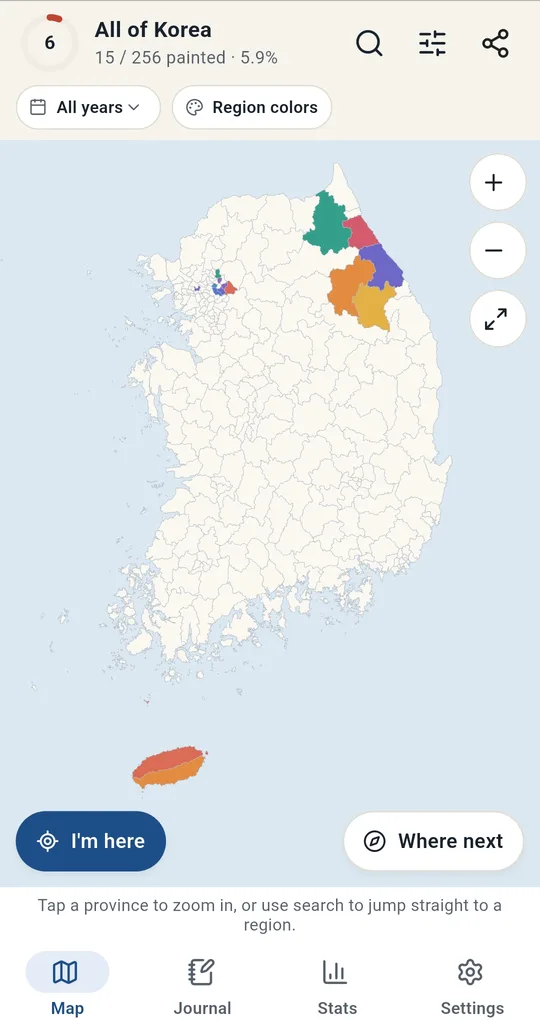
From photos
Choose From photos under Where next in Korea Visited to find and paint areas from photo location and date. Photos never leave your device. One photo at a time is free; reading many at once unlocks with one ad.
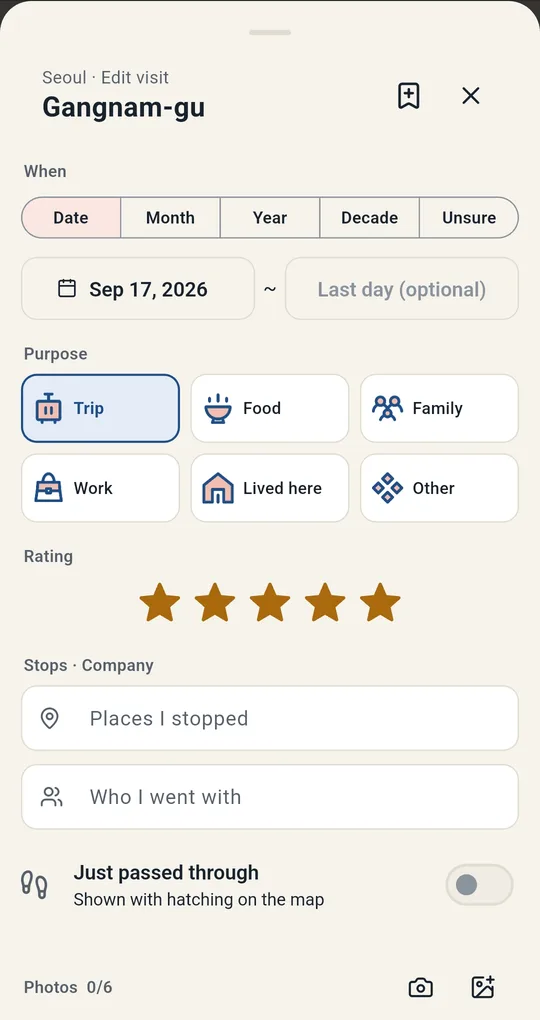
Choose how precise the date is
Under When on the visit card, pick Date, Month, Year, Decade or Unsure. Even Unsure is painted and counted.
Attach photos
Attached photos appear on the journal card. One photo is free; two or more unlock with one ad, up to 6 per visit. Some screenshots show Korean sample entries.
FAQ
Which photos can it read?
JPEG location data. For photos without it, pick the area yourself.
Are photos backed up?
Backups bundle visits and attached photos into one zip file, and restoring on a new device brings the photos back.
Korea Visited: Travel Map Log
No sign-up, and your trips and photos stay on your phone. Free on Android.