Two options
Local currency
Record the amount on the receipt and settle in that currency. Easy to enter during the trip and easy to check against receipts. You only convert when people pay each other back, so you need to agree on the rate.
Home currency
Record what each card statement actually charged. Every payer gets back exactly what they spent. The catch: foreign charges can take days to post, and fees and the timing of the rate mean the charge rarely equals receipt × today’s rate.
Which to choose
| Situation | Use |
|---|---|
| Mostly cards, several payers | Home currency (statement amounts), settle after the trip |
| Mostly cash from a shared kitty | Local currency |
| Settling as you go | Local currency, with the payback rate agreed in advance |
| One person exchanged cash for everyone | Home currency, at what they paid for it |
Cash and cards mixed
If you settle in home currency, the fairest rate for cash spending is the rate the cash was bought at. Use the exchange receipt if there is one; otherwise agree on the rate from day one of the trip. Using a different day’s rate for every expense leaves nobody able to check it.
Doing it in the app
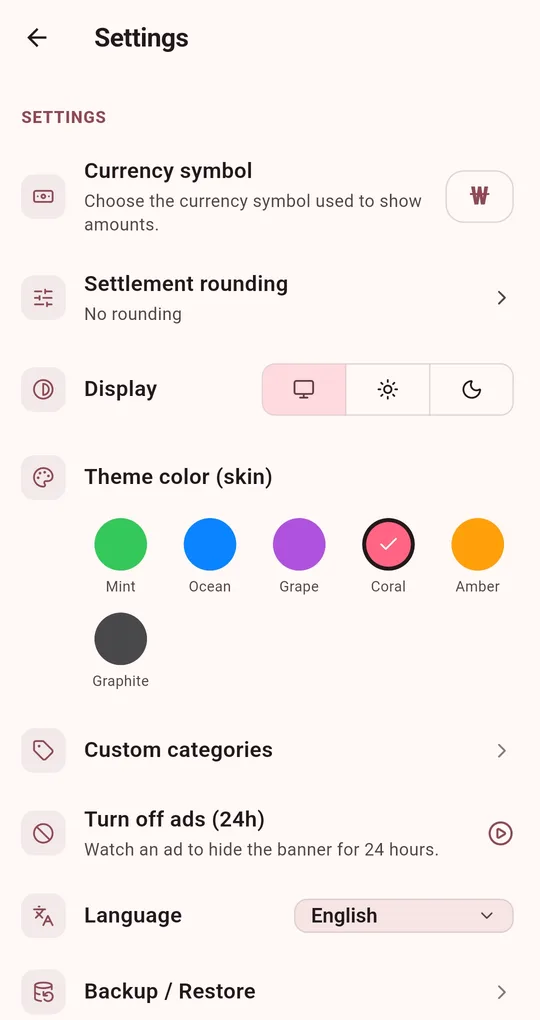
Pick the currency symbol
In Settings in the Android app "Settle Up: Split the Bill", choose a Currency symbol: ₩, $, €, £ or ¥. It only changes how amounts are displayed and does no conversion, so enter each group in a single currency. Amounts are calculated in whole units.
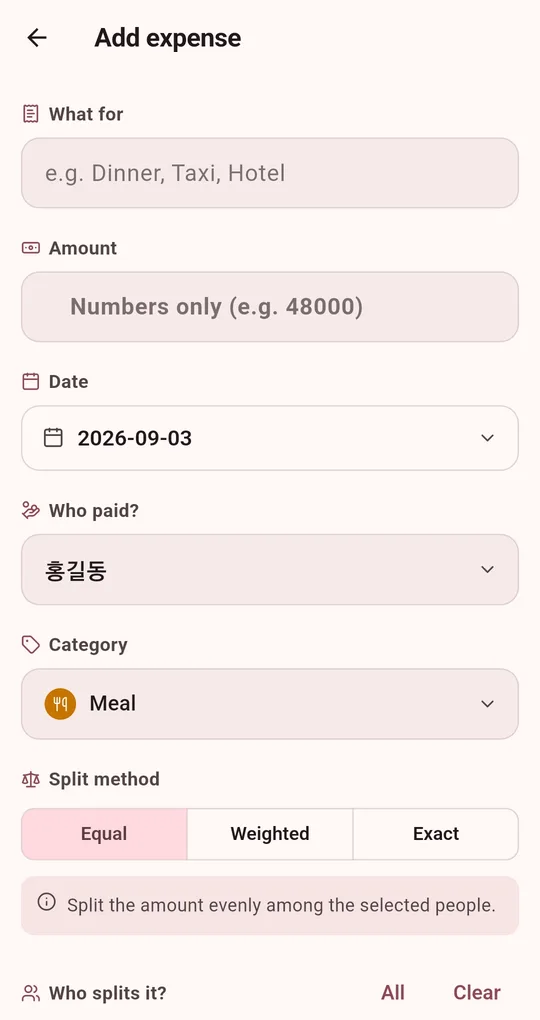
Note the original amount
If you settle in home currency, put the original amount in the memo (for example "JPY 3,200"), then use the search to match it up later.
FAQ
Can I enter cents?
Settlements are calculated in whole units of the currency, so cents are rounded. It is not suitable if you need to settle to the cent.
The trip covered two countries.
Use a group per country, or one group in your home currency. Mixing two currencies in one group gives wrong totals.
Settle Up: Split the Bill
No sign-up, no internet, and your records stay on your phone. Free on Android.