Pre-flight checklist
| Check | Why |
|---|---|
| Does the first screen load in airplane mode? | Some games download data on first launch |
| Does it work without logging in? | Games that verify your account every time get stuck offline |
| Have you unlocked ad- or purchase-gated features? | Ads need an internet connection |
| Is it a battery hog? | Bright screens and heavy computation drain fast |
| Sound settings | Without headphones, muting is polite |
Rules on using devices and airplane mode in flight differ by airline and route, so follow the crew’s instructions.
Test in airplane mode first
- At home, on Wi-Fi, launch the game once and finish first-run setup (language etc.).
- Turn on airplane mode, fully close the app and open it again.
- Tap through the features your child will use. If anything is blocked, turn Wi-Fi back on and unlock it now.
How Sandlab handles it
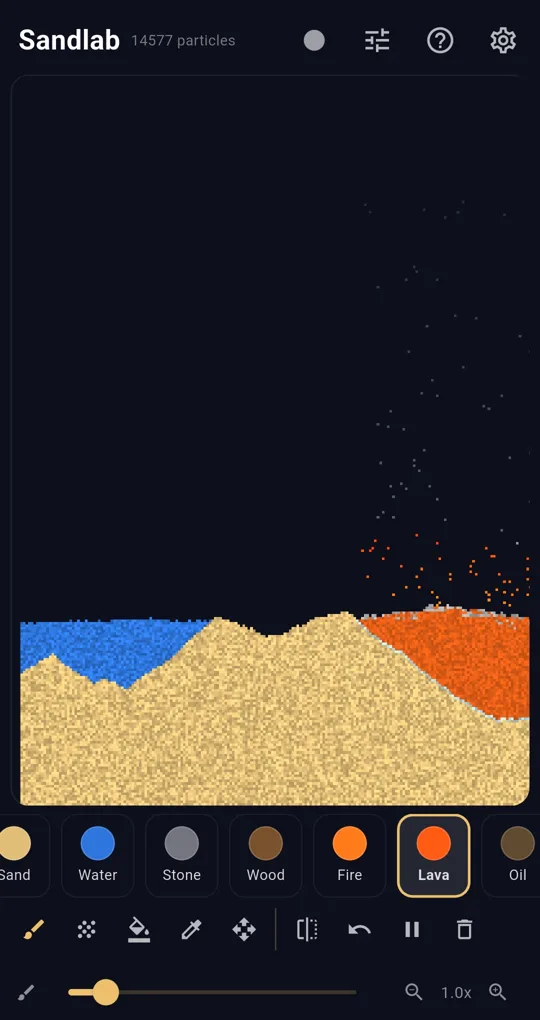
The simulation runs offline
Sandlab has no sign-up, and it uses the internet only for ads. Playing with sand, water, fire and the other basic elements works exactly the same in airplane mode.
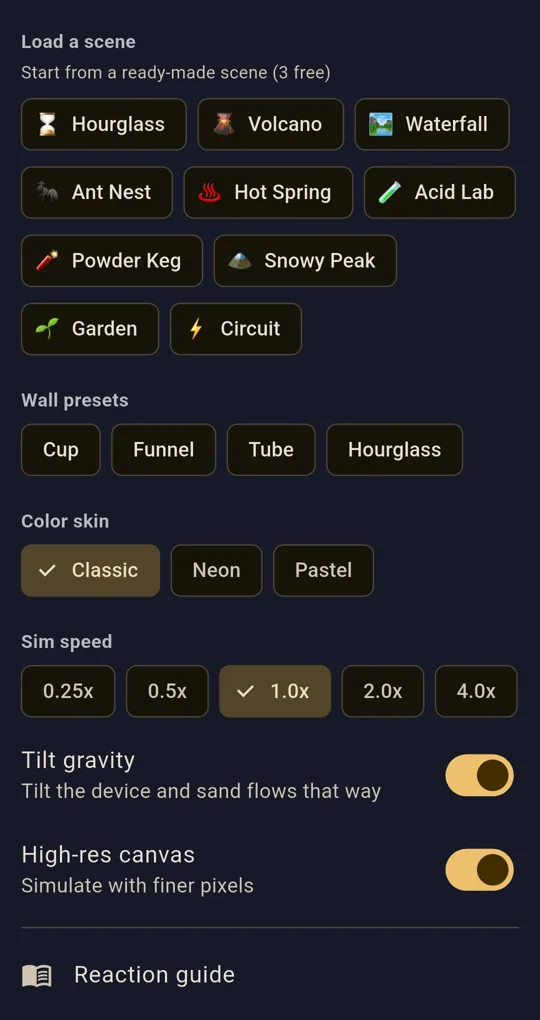
Unlock ad features before you leave
Premium elements (metal, spark, glass, slime, seed), GIF recording, mirror mode, color skins, advanced tools (speed and tilt gravity), the high-res canvas and extra save slots open after a short ad, and stay unlocked once opened. Ads cannot load on a plane, so unlock them at home.
Quiet and battery-friendly
In Settings you can turn off Ambient sound and Haptics. The high-res canvas has more cells to compute, so switch it off and use pause if battery is a worry. Tilt gravity is best left off on a bumpy flight so the sand does not drift unexpectedly.
FAQ
Can we save creations made on the plane?
Save slots are stored on the device, so saving works offline. There is one slot by default, six after one ad.
What happens to the bottom banner offline?
Without internet the ad cannot load. It does not affect play.
Sandlab - Falling Sand Physics
No sign-up, and the simulation runs fully offline. Your canvases stay on your device. Free on Android.