1. Look for empty continents
A continent you have never visited, or one where you have seen only one country, is the clearest candidate. For a first country on a new continent, one with a major hub airport usually makes planning easier.
2. Look next to your favorites
Check the countries around the ones you rated highest. Neighbors often share climate, food or atmosphere, so they are likely to suit you, and they are easy to combine by land or a short flight.
3. Going back counts too
A country you keep returning to is proof of your taste. A new city in that same country is a low-risk trip.
4. Keep ideas in one place
Save a country the moment a video or photo makes you want to go. When vacation time comes, the problem is rarely a lack of ideas; it is not remembering them.
Checklist before you book
| Check | Where |
|---|---|
| Safety level | Your government’s travel advice (for example the US State Department travel advisories or UK FCDO travel advice) |
| Visa or electronic travel authorization | The destination’s official immigration site or embassy |
| Direct or connecting flights | Flight search sites |
| Weather in your travel month | Rainy season, extreme heat or peak season |
Finding candidates in the app
In the Android app "Travel Map", steps 1 to 4 take a few screens.
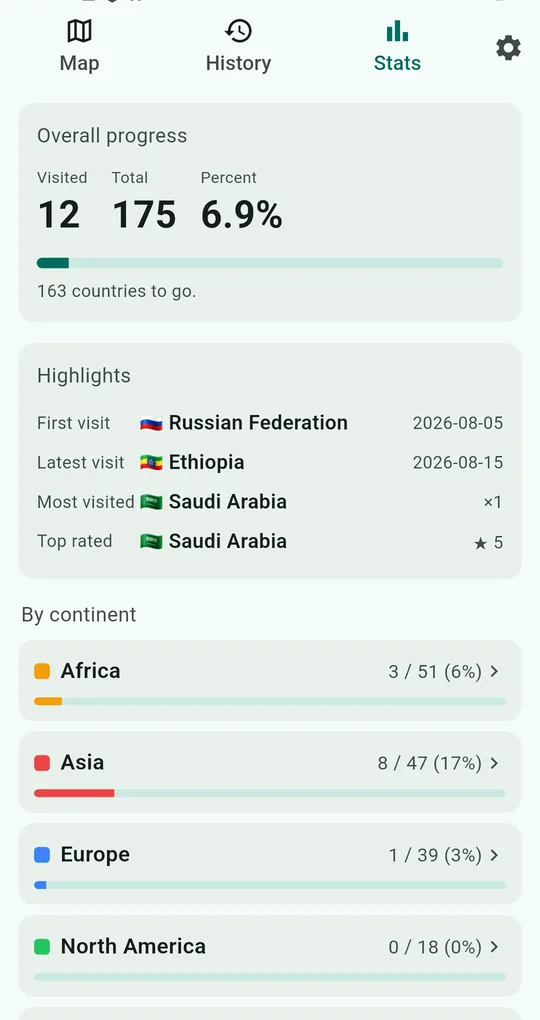
Find the blanks in By continent
The Stats tab shows, for each continent, how many of its countries you have visited. Anything at 0% is the first candidate. Highlights (most visited, top rated) are a starting point for steps 2 and 3.
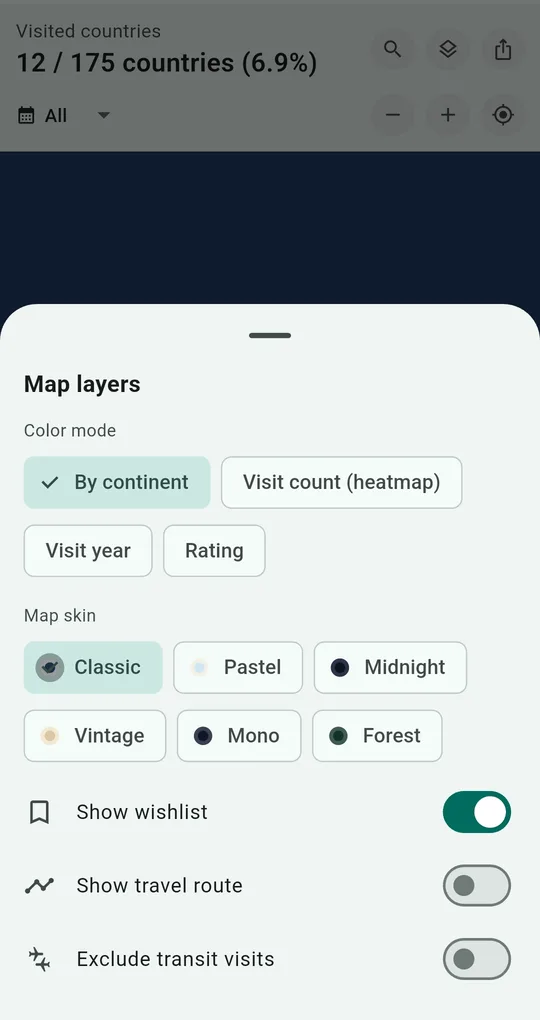
Color by rating to see your favorite regions
Switch the color mode to Rating in map layers and your favorites stand out. The uncolored countries around them are your neighbor candidates. Turn on Show wishlist to see saved ideas as well.
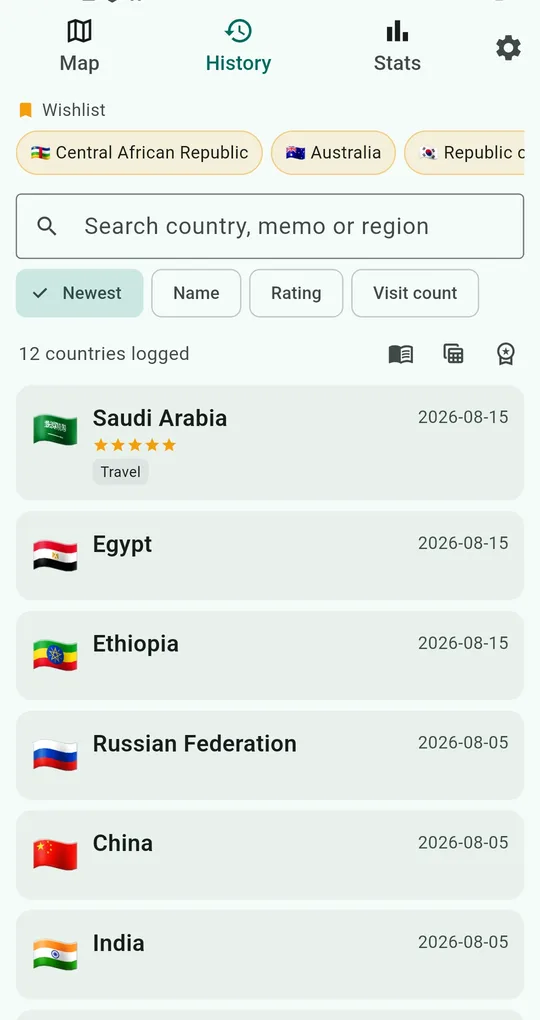
Save countries to your wishlist
Tap the bookmark icon at the top right of a country’s record to add it to your wishlist. Saved countries are listed at the top of the History tab.
FAQ
Do wishlist countries count toward my visited total?
No. The wishlist is kept apart from your visits, and you can show or hide it on the map.
Does the app tell me about safety or entry rules?
No. Entry rules and safety advice change often, so check your government’s travel advice and the destination’s official sources before you go.
Travel Map: Visited Countries
No sign-up, and your records stay on your phone. Free on Android.