Reading a 13-digit ISBN
| Part | Example | Meaning |
|---|---|---|
| Prefix | 978 or 979 | This is a book |
| Registration group | e.g. 0 or 1 (English), 979-8 (US), 89 or 979-11 (Korea) | Language area or country |
| Registrant | Variable | Publisher |
| Publication | The rest | The specific title or edition |
| Check digit | Last digit | Catches typos |
The US ISBN Agency (Bowker) began issuing 979 ISBNs in early 2020. ISBN International notes that a 979 ISBN has no 10-digit equivalent, so always store all 13 digits. A 979 doesn’t mean the book is new or an ebook; 978 simply started to run out.
The small barcode next to it
Many books carry a second, five-digit barcode to the right of the ISBN. On US books it usually encodes the suggested price, starting with 5 for US dollars (90000 means no price given). Other countries use it differently. For your list, only the big ISBN barcode matters.
Building the list
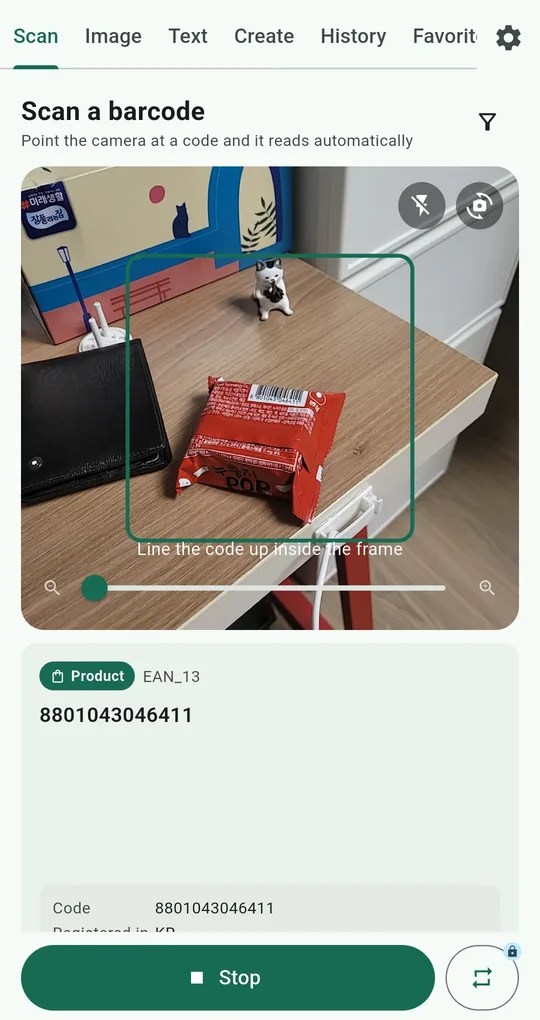
Continuous scan, one shelf at a time
On the Scan tab of QR & Barcode Scanner, tap the repeat icon next to the scan button to turn on Continuous scan. It keeps reading without stopping and counts as you go (“12 scanned”); it unlocks for 24 hours after one ad. Set the Format filter to Product (1D) only to avoid stray codes. Books are saved with the type Book.
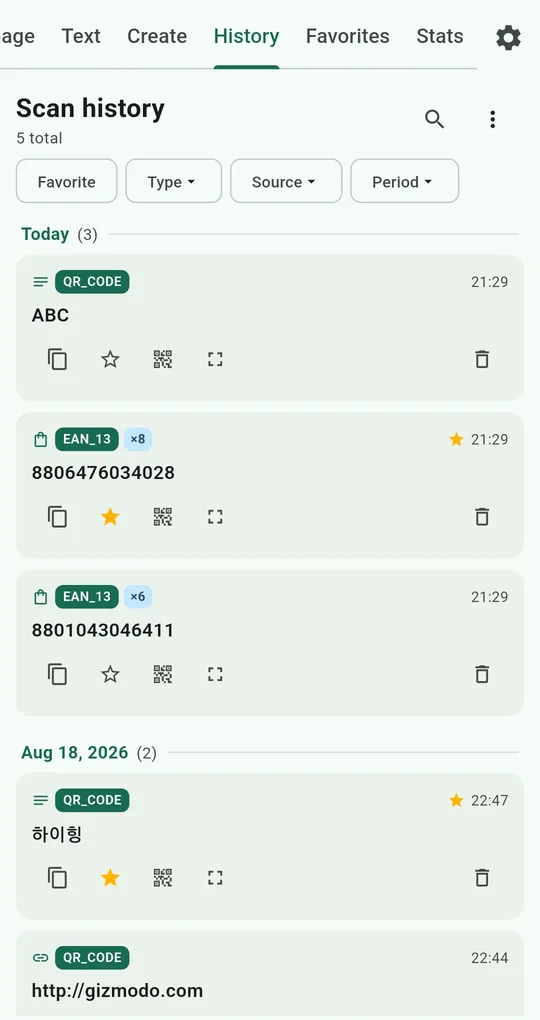
Check it in History
Filter History by Type to see only books. With Merge duplicates on (the default), scanning the same ISBN again bumps a counter instead of adding a row, so books you bought twice stand out. The free history keeps 200 scans, so unlock unlimited history if your shelves are bigger.
Export to CSV
From the menu at the top right of History, choose Export as CSV and open it in a spreadsheet (unlocked for good after one ad). The app stores the ISBN, not the title; for titles, use Book details on the result card, which opens a Google Books search.
What to do with the list
| Goal | How |
|---|---|
| Selling used books | Most buy-back sites look books up by ISBN; copy from the list |
| Moving house | Tag books with the box number using Favorites tags and notes |
| Library checkouts | Search your list before borrowing something you own |
| Handing down kids’ books | Tag by age range |
FAQ
My older books have no barcode.
Books from before 2007 may only print a 10-digit ISBN as text. Read it with the Text tab and copy it, or type it in.
What about magazines?
Magazines usually use an ISSN barcode starting with 977, not an ISBN. The app files those as Product.
QR & Barcode Scanner Reader
No sign-up, and your scans stay on your phone. Free on Android.