Payer and sharers are different
Five people have dinner and the four who aren’t celebrating split it: a $200 bill is $50 each. If the birthday person put it on their card, they are the payer but not a sharer, so they get the full $200 back.
Adding the gift
If one person bought the gift in advance, enter it as an expense too: paid by the buyer, shared by everyone except the birthday person. Put dinner and the gift in the same group and it all settles in one go.
| Expense | Paid by | Shared by |
|---|---|---|
| Birthday dinner | Anyone | Everyone but the birthday person |
| Cake | Whoever bought it | Everyone but the birthday person |
| Gift | Whoever bought it | Everyone but the birthday person |
| Drinks after | Anyone | Everyone, including them (your call) |
Groups that take turns
If your group celebrates each other in turn, you can keep a whole year in one "Birthdays" group. Leave out the guest of honor each time, and by year end most balances are close; only settle the ones that are far apart.
Doing it in the app
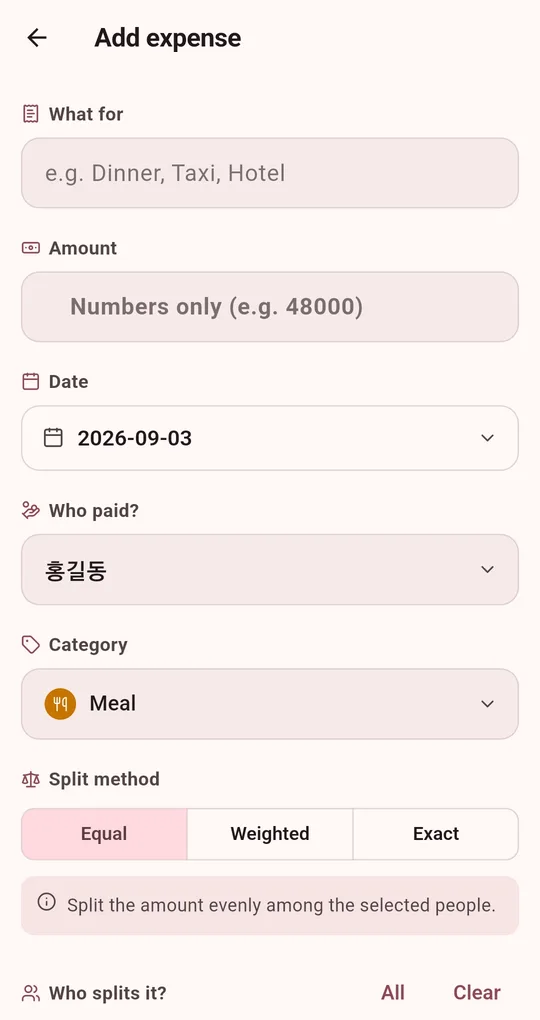
Pick the payer
On the add expense screen in the Android app "Settle Up: Split the Bill", choose whoever actually paid under "Who paid?", even if it was the birthday person.
Untick the birthday person
Under "Who splits it?", tap All and then untick the birthday person. In the result they show as being owed whatever they paid.
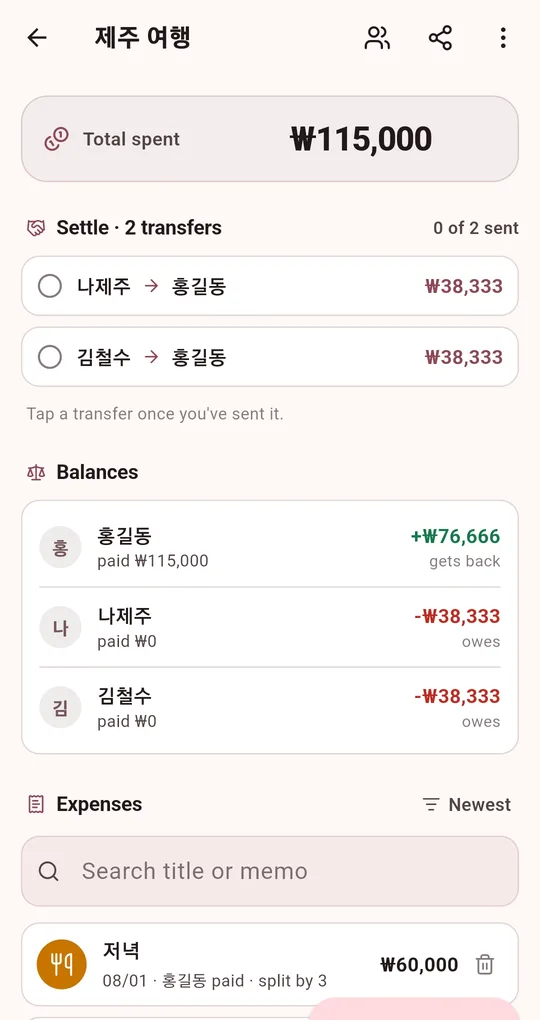
Share the result
Share the settlement as text. If you would rather not do it in front of them, post it in a chat without the birthday person.
FAQ
The birthday person insists on paying something.
Switch to Exact and set their amount, then fill in the rest, or use Weighted with 1 share for them and 3 for everyone else.
Can I add a Birthday category?
Yes, under Custom categories in Settings. It unlocks after watching one short ad.
Settle Up: Split the Bill
No sign-up, no internet, and your records stay on your phone. Free on Android.