Why cells drift
- Line breaks on your screen are not line breaks on the grid.
- You are deciding spaces, two-per-cell digits and dropped line-start spaces while copying.
- One slip moves every line end in the paragraph, and the line-end punctuation with it.
Copying line by line
- Make a laid-out version with the same cells per line as your paper.
- Put it next to the paper and copy one numbered line at a time.
- At the end of each line, check that the last character matches.
- Mark sheet breaks in advance (every 10 lines on 200-cell paper, every 20 on 400-cell).
Laying it out with the app
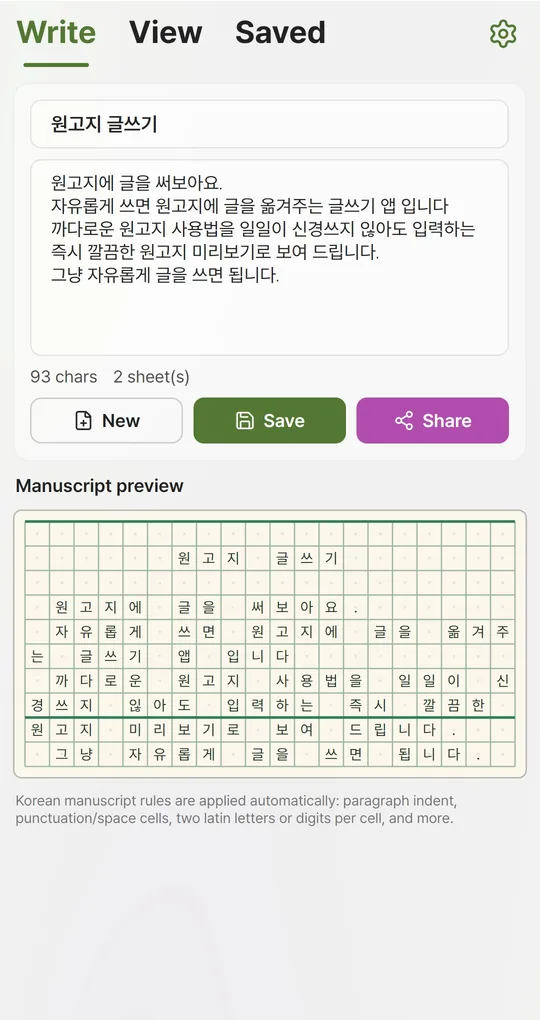
Paste and match the format
Paste your draft into the body on the Write tab and choose the same paper format in Manuscript style. Keep paragraphs separated by line breaks so indents land correctly.
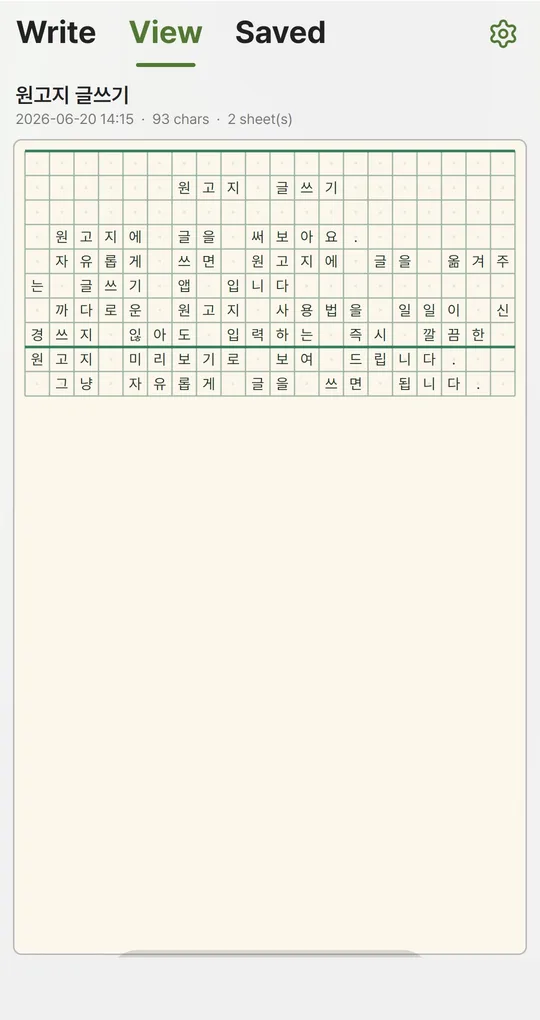
Open it large on the View tab
Save, then open the View tab. The page fills the screen and arrows move between sheets. Copy from this view.
Fix only the details that differ
The app keeps a typed space after a period as an empty cell and splits a period and closing quote into two cells. If your class does it differently, fix those spots on paper and re-align that line.
The app’s English screenshots show a Korean sample text, because the grid is meant for writing in Korean.
Image for submission
If handwriting is not required, the Share button exports the grid as a PNG image to send by messenger, email or a class board. Writing is stored only on your device, so keep a copy elsewhere if you need it on another device.
FAQ
Does the app change my text?
No. It only shows the layout. The text you typed is saved as is.
Can I submit the image instead of handwriting?
Only if your teacher or the organizer allows it.
Manuscript Paper: Writing Pad
Type the normal way and see it laid out on Korean manuscript paper instantly. No sign-up, works offline, and your writing stays on your phone. Free on Android, in English and Korean.