What changing units shows
Big numbers in an unfamiliar currency are easy to misjudge. Counting in objects you buy often, such as a delivered fried chicken, a coffee or a lunch, makes small repeated spending visible. In Korea fried chicken is a common treat, which is why the app uses it.
Choosing your units
| Unit | Good for |
|---|---|
| One fried chicken | weekly delivery and eating-out spending |
| One coffee | small daily habits |
| One lunch | food budget |
| One work hour | big purchases: how many hours is this? |
Use the price you actually pay near you, not a national average.
The other way: purchases in work hours
At an after-tax hourly wage of about 16,900 KRW (50M salary example), a 300,000 KRW item is about 18 hours of work, and a 5,000 KRW daily habit is about 9 hours a month. Asking “is this worth two days of work?” changes impulse purchases. See your real hourly wage.
Converting and sharing in the app
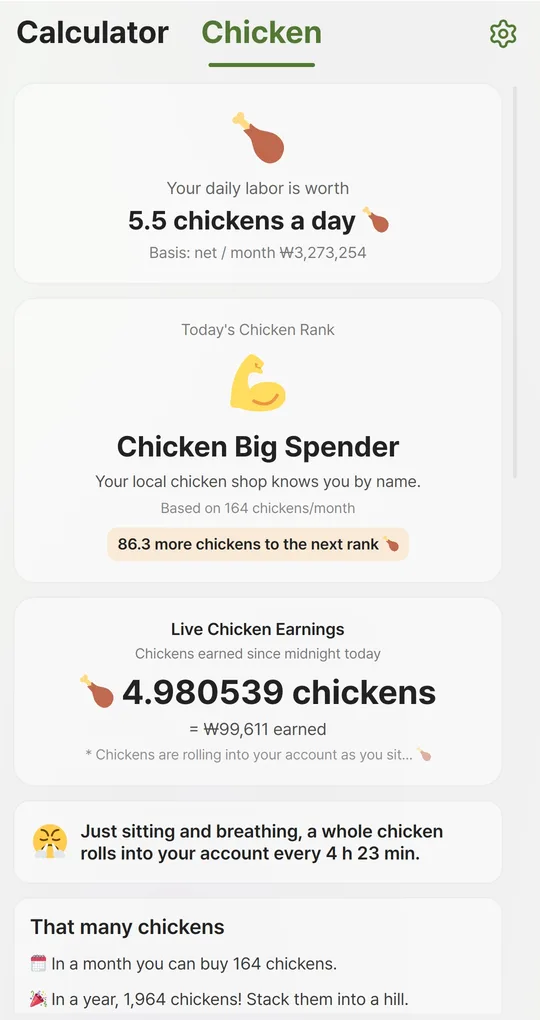
Open the Chicken tab
After calculating your pay, open the Chicken tab: chickens per day, month and year, your Chicken Rank, Live Chicken Earnings since midnight and how often a whole chicken “rolls into your account” just by breathing.
Set your local chicken price
Enter the real price in “Price of one chicken” and tap “Apply”. The default is 20,000 KRW. Coffee (4,500) and lunch (10,000) prices are fixed in the app.
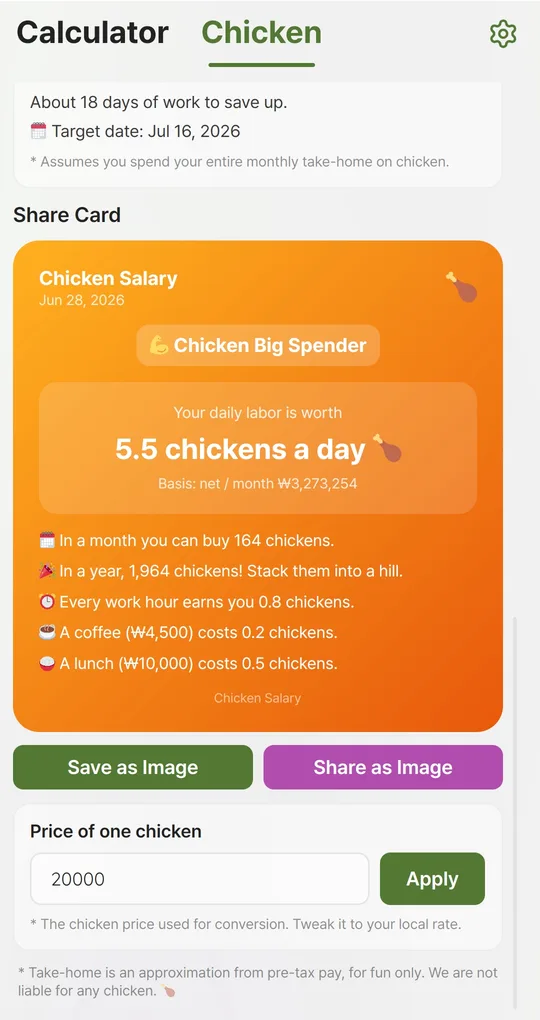
Save or share the card
Tap “Save as Image” or “Share as Image” under the Share Card to create an image with the date, your rank and the conversions. The card shows your monthly take-home in small print, so check before sharing.
FAQ
What is the Chicken Piggy Bank?
Enter a target number of chickens to see the amount and how many days of work it takes if all your take-home went to chicken. It is for fun, not a savings plan.
How is the rank decided?
By chickens per month: take-home after loan interest ÷ chicken price. Change the price and the rank changes.
Salary to Chicken: Take-Home
No sign-up, works offline, and your salary data stays on your phone. Free on Android, in English and Korean.