Before you switch
Reflex Lab keeps records and settings only on your device; nothing is sent to a server. So make a backup file before you reset the old phone. Making the file yourself is more reliable than counting on device auto-backup.
Step by step
Export on the old phone
In Reflex Lab, go to Settings → Data → Export backup. A reflexlab_backup_date.json file is created and the share sheet opens. Send it to yourself by email, cloud drive or a messaging app.
Restore on the new phone
Install the app on the new phone, download the file, then go to Settings → Data → Restore backup and pick it. You’ll be asked to confirm that current records and settings will be overwritten.
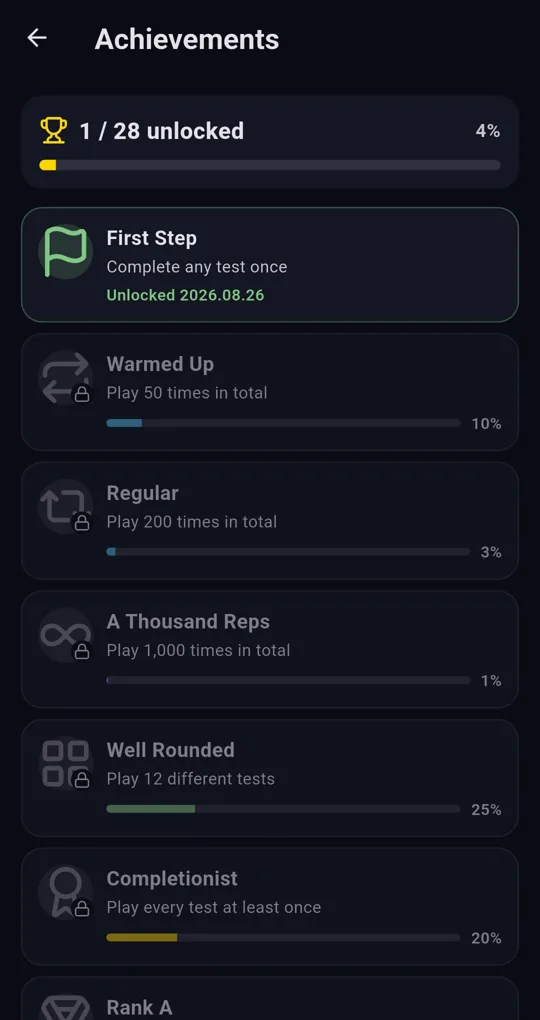
Check your achievements
After restoring, check that unlock dates appear on the Achievements screen and that total attempts in Stats match.
What’s included
| Item | In the backup? |
|---|---|
| Per-test records (score, difficulty, time, per-round values) | Yes |
| Achievements, daily challenge and streak, personal goals, settings | Yes |
| Tests and features unlocked with ads, streak freezes, extra attempts | No (unlock again on the new phone) |
Restoring overwrites; it doesn’t merge. Anything you played on the new phone before restoring is lost.
Inside the JSON
It’s a plain text file you can open in any text editor. Keys like flut153.rec.reaction hold each test’s records, and each record has roughly these fields.
| Key | Meaning |
|---|---|
| t | Time (milliseconds since 1970; in a spreadsheet =t/86400000+DATE(1970,1,1), then adjust for your time zone) |
| v | Score (average ms for Reaction Time) |
| d | Difficulty (0 Easy, 1 Normal, 2 Hard) |
| x | Per-round values (each round’s ms for Reaction Time) |
The app keeps up to the latest 500 attempts per test, with total count and average tracked separately. Editing the file and restoring it can corrupt your records, so analyse a copy.
FAQ
Can I move to an iPhone?
Reflex Lab is currently released as an Android app.
I want to wipe everything.
Settings → Data → Erase everything deletes all records, achievements and settings. It can’t be undone, so back up first.
Reflex Lab: Brain Speed Test
No sign-up, fully offline, records stay on your device. Free on Android.