Why name + birthday matters
- Name and date of birth are common answers for identity checks, account recovery and customer-service verification.
- One post means little on its own, but combined with others (school, neighborhood, face) it makes you easier to identify.
- If you use your birthday in a password or PIN, be extra careful.
Pre-post checklist
| Check | What to do |
|---|---|
| Is a date of birth visible? | Crop it out or capture only the result card |
| Is your real full name visible? | Redo it with a nickname or cover the name |
| Is someone else’s data in it? | For cross or compatibility results, ask them first |
| Audience | Friends only rather than public |
| Location | Turn off the photo location tag |
Posting a friend’s result
Always ask before posting a result made with a friend’s name and birthday. Even if they say yes, leaving the birthday out is safer.
The app’s share card
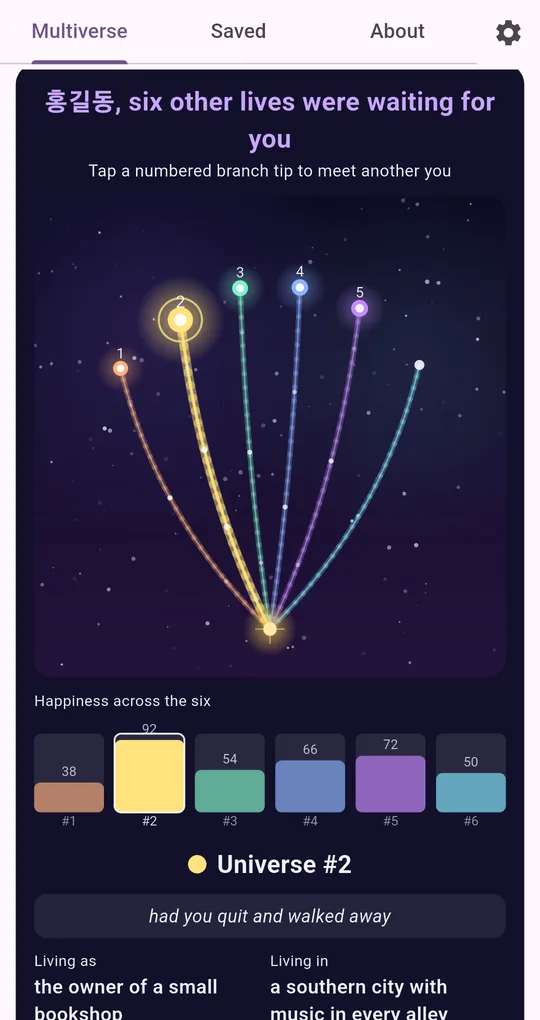
Share and Save image
In Parallel Lives, Share or Save image under a universe card turns only the card area into an image. The card doesn’t include your birth date, but its headline includes the name you entered, so use a nickname if it will be public.
The sample name in the screenshots is a placeholder; you can enter any name or nickname.
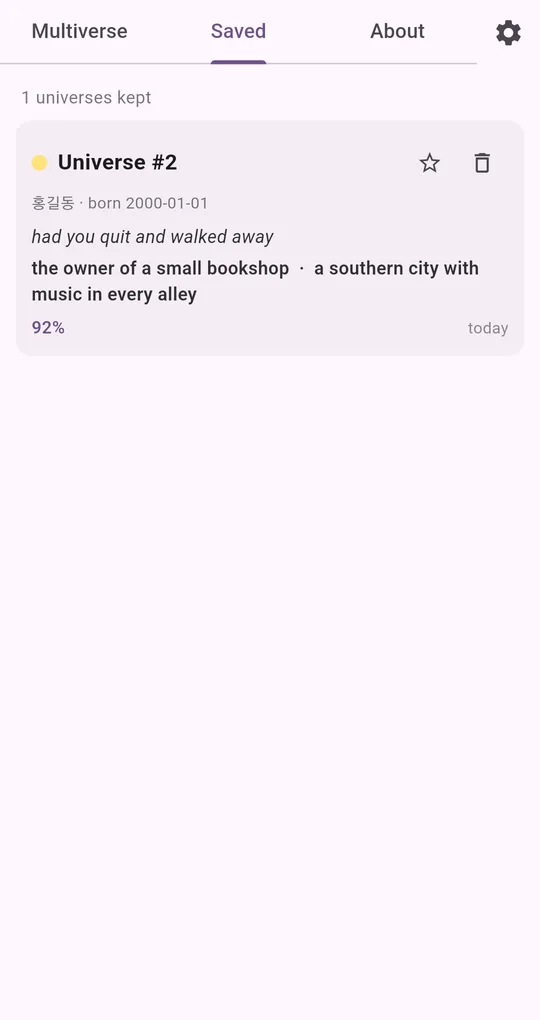
Careful with Saved screenshots
The Saved list shows the name and birth date together. Don’t screenshot that screen to post; use the share card instead.
Data that stays on the device
The app does not send your name or birthday to a server; everything is calculated on the device. When you change phones, use Backup / Restore in Settings to move your saved universes and settings as a file.
FAQ
Does a nickname give a different result?
Yes. Different characters open a completely different six universes. Some people keep a separate "public nickname" multiverse.
What about something I already posted?
If a birth date is visible, editing or removing the post is the safer choice.
Parallel Lives: The Other You
No sign-up, fully offline. A free Android app made for fun and reflection.