Five things to check
| Check | Typical slip | What it should be |
|---|---|---|
| First cell of a paragraph | Text starts in cell 1 | Leave cell 1 empty |
| First cell of a line | A period or comma at the start | In the last cell of the line above |
| Spaces | Everything joined, or an empty cell at the start of a line | One empty cell between words, none at line start |
| Numbers | 2026 written in four cells | Two per cell: 20 | 26 |
| Length | Last sheet half empty | Check the assigned length |
If the teacher taught a different way, the teacher’s way wins. Wongoji rules are a convention, not an official standard (more).
Avoiding a full rewrite
- Check the first sheet, not the finished stack. Habits on page one continue to the end.
- One cell error is not a reason to redo a page. If the teacher allows it, a correction mark is enough.
- Praise the content first and mention only one or two layout points.
Previewing together
Type what your child wants to say
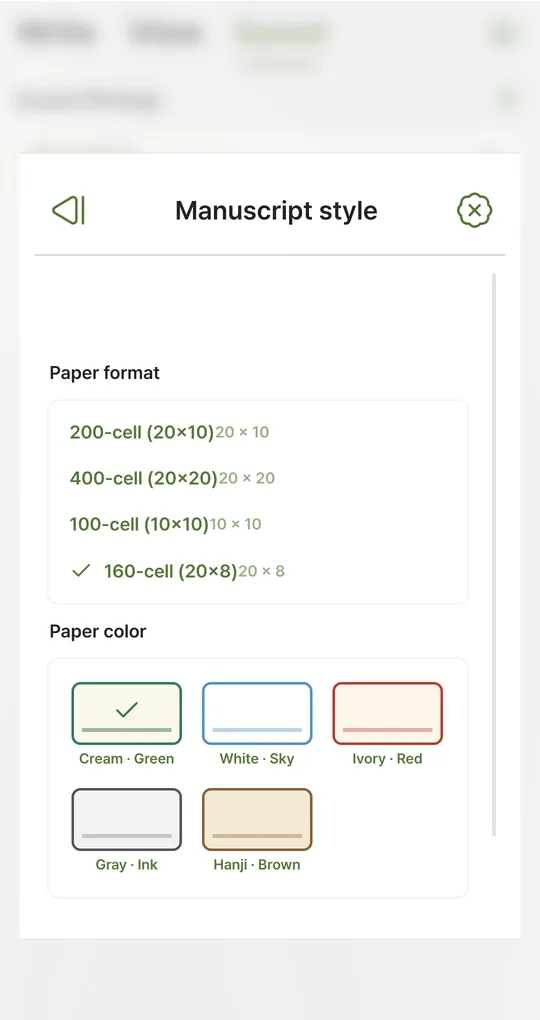
Enter the text in the app and pick the same format as the homework sheet, for example 100-cell (10×10) for a 10-column sheet.
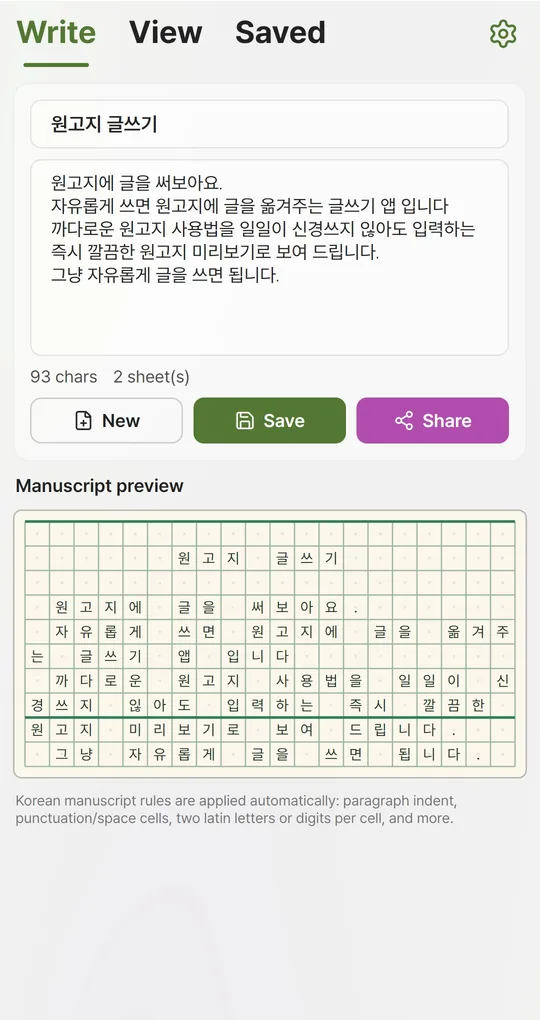
Let your child copy from the preview
Show where paragraphs start, where periods tuck in and how numbers pair up, then let your child write. Guessing which letter starts the next line is a quick way to learn the rules.
The app’s English screenshots show a Korean sample text, because the grid is meant for writing in Korean.
FAQ
How is dialogue written?
Start a new line, leave the first cell empty and begin with the quote. See dialogue on manuscript paper.
Is my child’s writing uploaded anywhere?
No. The app stores writing on the device only, with no account. You can delete it on the Saved tab afterward.
Manuscript Paper: Writing Pad
Type the normal way and see it laid out on Korean manuscript paper instantly. No sign-up, works offline, and your writing stays on your phone. Free on Android, in English and Korean.