A 3 × 3 measurement plan
| 10 am | 12 pm | 4 pm | |
|---|---|---|---|
| Small bedroom | __ dB | __ dB | __ dB |
| Living room window | __ dB | __ dB | __ dB |
| Main bedroom | __ dB | __ dB | __ dB |
- Three candidate rooms, three times when you usually have calls. Three to five minutes per cell is enough.
- Same phone, same height (on the desk).
- Measure with windows shut and open to see summer and winter in advance.
Easy-to-miss noise sources
- Fridge, AC unit, boiler — steady low sounds your ears tune out but mics pick up.
- Walls next to elevators or the front door — busy at commute and lunch times.
- Windows facing a school or playground — breaks and pickup time.
- Construction and delivery vans — can vary by weekday, so watch for a week.
Set up for video calls
- Sit so the noise source is on the far side from your mic, not right behind you.
- Empty rooms echo. Curtains, rugs and bookshelves help.
- Call apps’ noise suppression handles steady noise well and sudden noise poorly.
Building the table in the app
1
One session per room
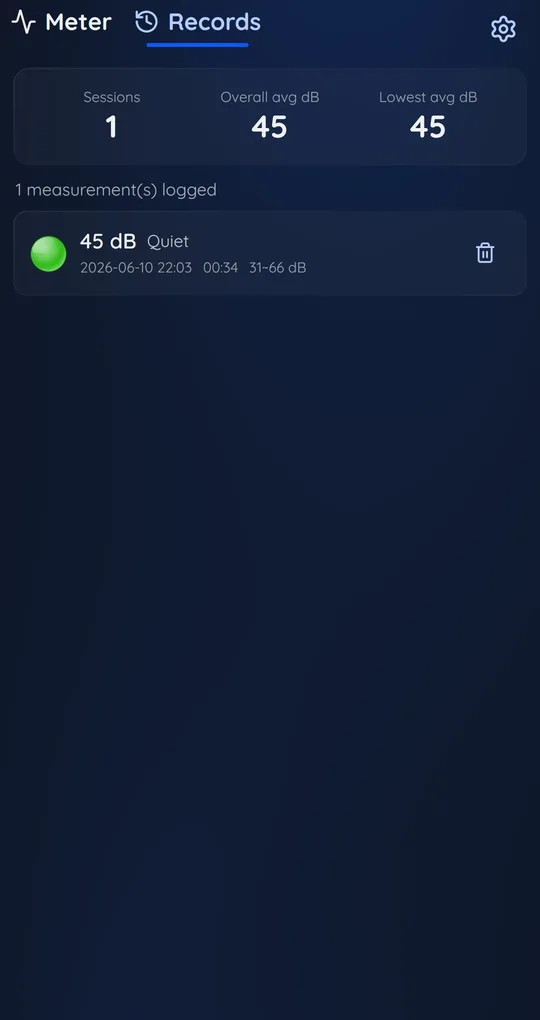
In Focus Noise Meter, tap Start and stop each time you change rooms. Records keeps the time and average, so you can fill in the table directly.
2
Find the winner with Lowest avg dB
Lowest avg dB at the top of Records is the quietest session average so far. Its time tells you which room and slot it was.
3
Dark theme for late sessions
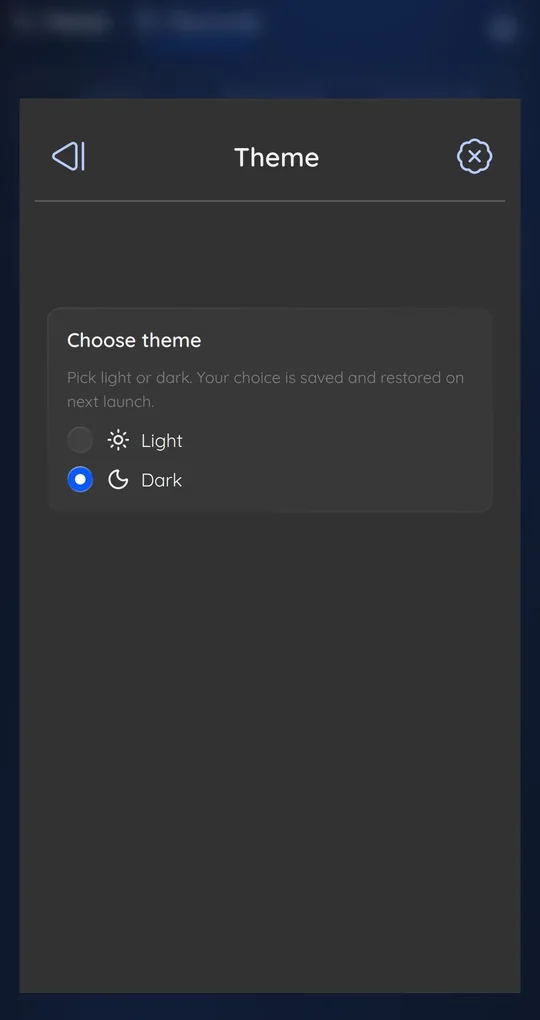
If you measure into the evening, switch to dark in Theme under Settings.
FAQ
What level is fine for video calls?
There is no standard. Around the app’s Quiet level (under 50 dB) is usually fine; long stretches of Moderate or above are a reason to use a headset mic.
Can I check a new apartment like this?
See checking noise when viewing a home for a short version.
Focus Noise Meter - dB Sound Level
It never records audio, only calculates dB levels, and your history stays on your phone. Free on Android.