What to write
| Goal | Example note |
|---|---|
| Exercise | 15 squats, knee fine |
| Reading | Up to chapter 3 |
| Vocabulary | 5 travel words |
| Kids brushing | Did the full 3 minutes alone |
A number, progress or how you felt: any one is enough. You don’t need a note every time; unusual days are plenty.
Reading them back
Skim your notes once a month and you’ll see the days your goal naturally grew and the conditions that made it hard. That’s your evidence for sizing the next board.
Organizing with CSV
CSV opens directly in Excel or Google Sheets. Filter by goal or chart the numbers from your notes.
Doing it in the app
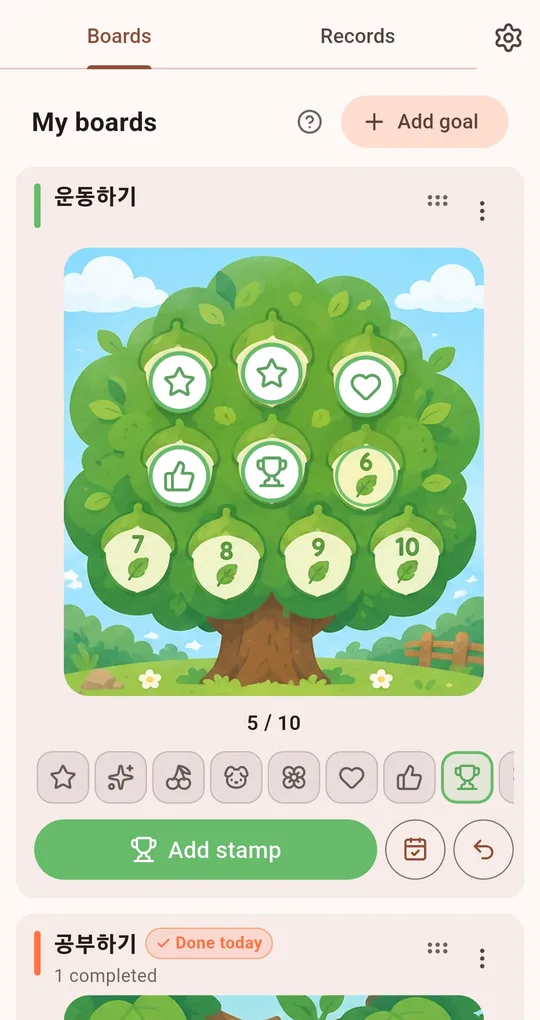
A quick note on a stamp
In My Praise Stamp Board, tap a stamp you’ve placed to leave a one-line note about that day.
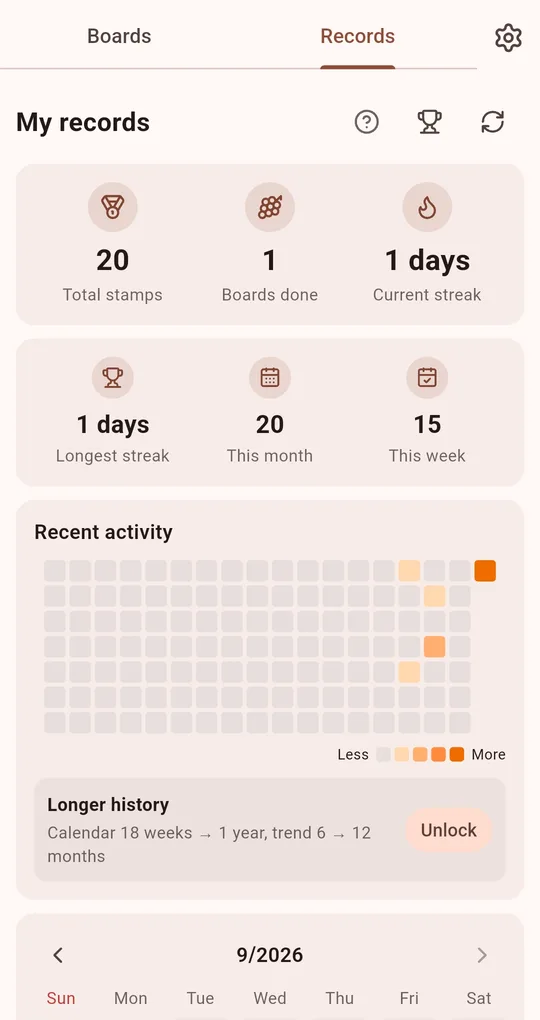
Tap a date on the calendar
Tap a date in Recent activity or the month calendar on the Records tab to see that day’s stamps and notes.
Export records as CSV
Export records as CSV on the Records tab writes date, goal, stamp, board number and note to a table file.
FAQ
What do I get for 10 notes?
The "Note keeper" achievement.
Can I move my records to a new phone?
Export a .stampbak file from Backup / restore in Settings and restore it on the new phone. Restoring replaces what is on that phone.
My Praise Stamp Board
No account, fully offline, and your records stay on your phone. Free on Android.