Video: lock exposure
- Flash off — it does nothing for distant fireworks and lights up the person in front of you.
- Lock focus and exposure on the first burst — in most camera apps, pressing and holding on the screen locks both. Do it when the first shell opens.
- Pull brightness down — after locking, drag the exposure slider down and the colors come back.
- Minimal zoom — digital zoom loses detail and magnifies shake. Shoot wide and crop later.
Photos: long exposure
Photos where fireworks become long lines are long exposures. If your camera app has a Pro (manual) mode, set the shutter to 1–4 seconds, ISO low (around 100–200) and focus toward infinity. The phone must sit on a tripod or a railing. Without Pro mode, burst shooting and picking the best frame is more reliable.
Settings at a glance
| Setting | Video | Photo (long exposure) |
|---|---|---|
| Flash | Off | Off |
| Focus | Locked on first burst | Infinity (manual) |
| Brightness | Locked, then lowered | Low ISO |
| Shutter | Auto | 1–4 seconds |
| Support | Both hands, elbows tucked in | Tripod needed |
| Night mode | Not applicable | Can smear moving bursts; usually better off |
Menu names and features vary by phone maker and camera app.
Practice before the show
If you first touch these settings at the show, the finale will be over. You can practice exposure lock at home by playing the Android app Wish Fireworks on another screen. The app itself also saves your card as an image or GIF.
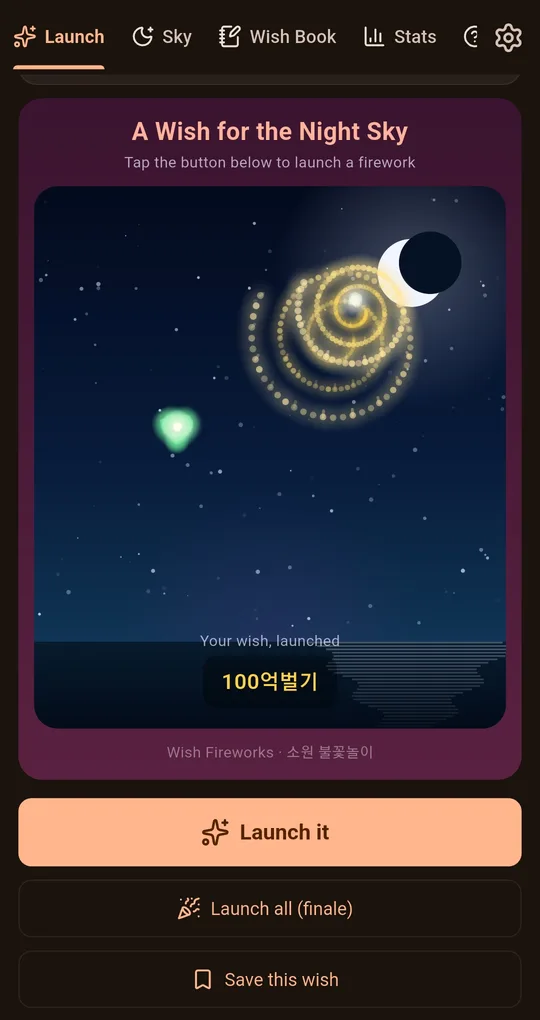
Save the card as an image or GIF
After launching a wish, tap Save image or Share as animated GIF under the card. The GIF is a short clip of a few seconds; watching an ad unlocks HQ GIF for an hour.
The sample wish in the screenshots below is written in Korean; your own wish appears in whatever language you type.
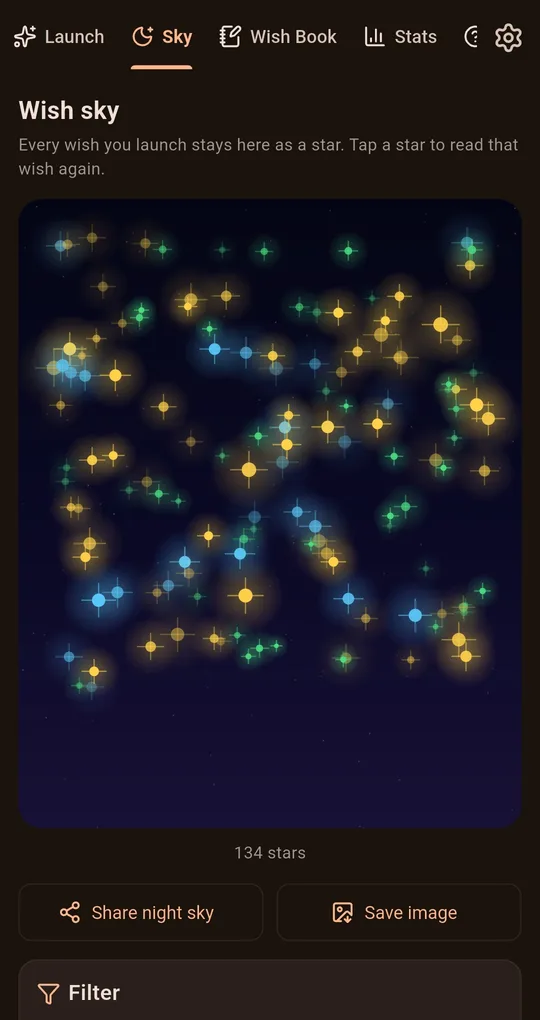
The whole sky as one image
On the Sky tab, Save image saves the whole sky of wishes-as-stars as a single picture.
FAQ
My video is too big to send.
Messaging apps compress video automatically. Share the original through a cloud link instead.
The show is far away and I need zoom.
If your phone has an optical telephoto lens, stick to its native zoom (2x, 3x and so on). Beyond that is digital zoom and quality drops.
Wish Fireworks
No sign-up, and your wishes stay on your phone. Free on Android.