Three methods
- Split each bill as it happens — post "$25 each, please" in the group chat after every payment. Fastest when only one person pays.
- Spreadsheet — list the expenses, then work out what each person paid and what they owe. You write the formulas.
- Bill-splitting app — enter the expenses and it works out each balance and the "who pays whom" list.
Splitting each bill in the group chat
The math is easy, but the transfers multiply. Four friends on a trip, three of them paid once each: every bill needs three transfers, so nine payments fly around, and people end up sending money to someone who is also sending money back.
Spreadsheet
Set up columns for date, item, payer, amount and who shared it. For each person, paid − share gives their balance: positive means they get money back, negative means they owe.
Formulas get you the balances. Turning balances into "who sends whom how much" is still manual, and the formulas get messy fast when different people share different items.
Using a bill-splitting app
These are real screens from the Android app "Settle Up: Split the Bill". The sample data in these screenshots uses Korean names and the ₩ symbol; the app itself runs in English.
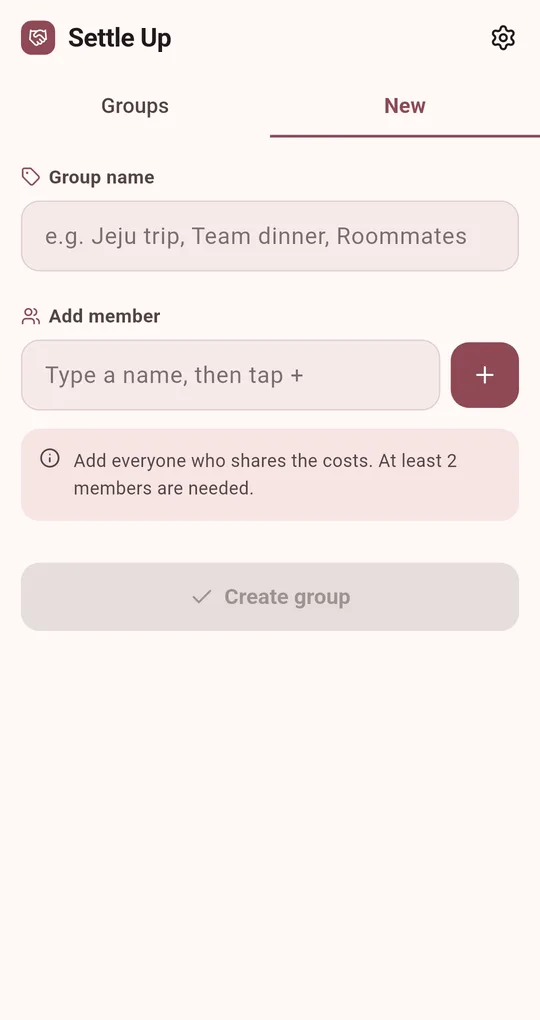
Create a group and add members
On the New tab, name the group and add everyone who shares the costs. You need at least two people.
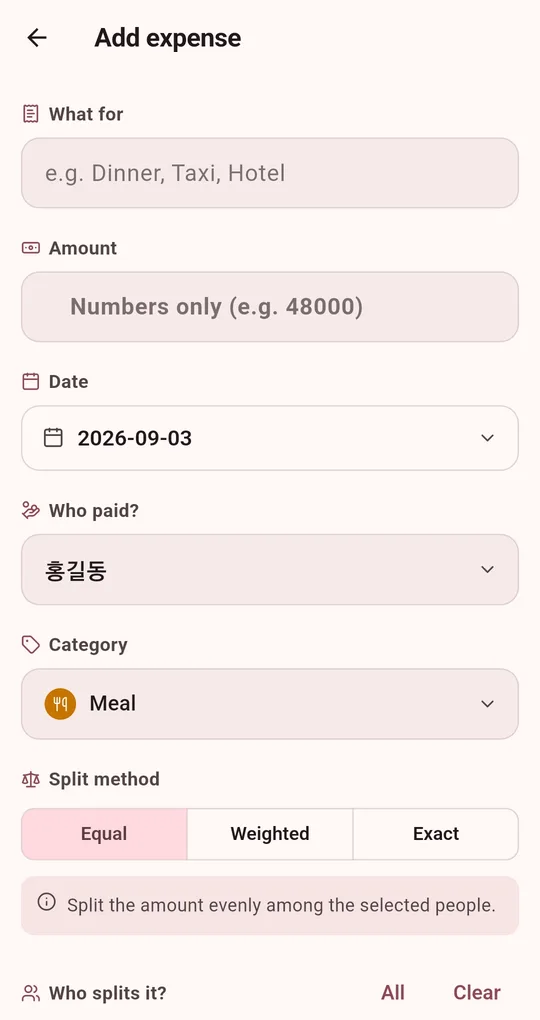
Enter each expense with payer and sharers
Enter what it was for, the amount, the date, who paid and who splits it. Pick Equal, Weighted or Exact as the split method.
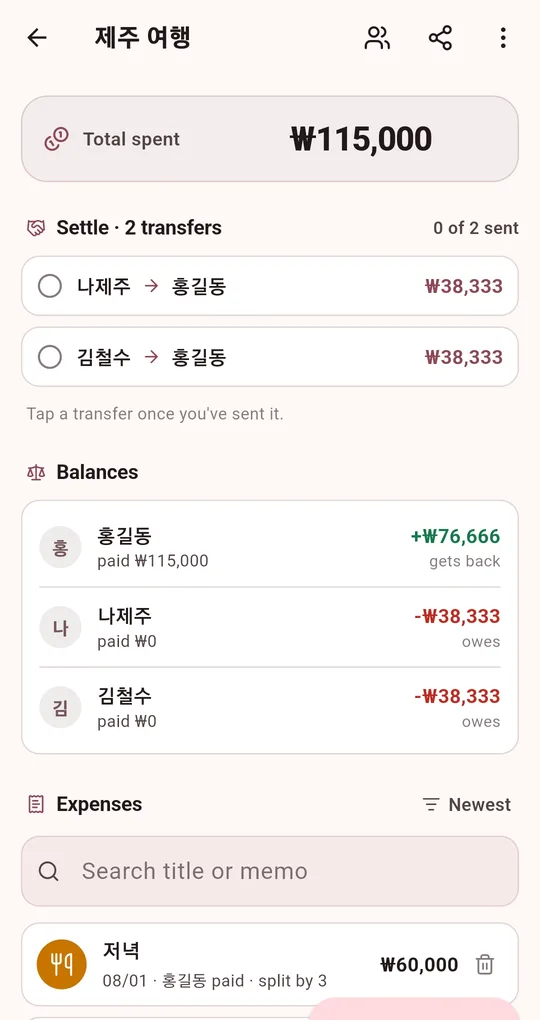
Read the settlement
The group screen shows the transfer list at the top ("Settle · 2 transfers") and each member’s balance below. Tap a transfer once it has been sent to mark it done.
Side by side
| Split each bill | Spreadsheet | App | |
|---|---|---|---|
| One payer | Fastest | Overkill | Overkill |
| Several payers | Too many transfers | Balances only | Transfer list done for you |
| Only some people share an item | Separate math each time | Extra formulas | Pick sharers per expense |
| Fixing a mistake later | Redo the math | Edit the sheet | Edit the expense, totals update |
FAQ
Does everyone need the app?
No. One person enters everything and shares the result as text in the group chat. See how to post the settlement.
Is an account or internet connection needed?
Neither. All records are stored only on the device.
Is there an iPhone version?
It is currently available for Android on Google Play.
Settle Up: Split the Bill
No sign-up, no internet, and your records stay on your phone. Free on Android.