The minus-one-day rule
If day one of a term is the start date itself, a 12-month term from January 6 is full at the end of January 5 the following year. The same holds for any number of months: end date = start date + N months − 1 day. Spreadsheet version: =EDATE(start,N)-1.
Some contracts instead say a term runs “to” or “until” the anniversary date. If the document defines the end date, use that.
Example: Korean military service
South Korea’s Military Manpower Administration lists conscript service as 18 months for the Army and Marine Corps, 20 months for the Navy and 21 months for the Air Force.
| Start | Length | Calculated end | Days served |
|---|---|---|---|
| Jan 6, 2026 | 18 months | Jul 5, 2027 | 546 |
The actual discharge date is set by the unit’s personnel office, so treat the calculation as an estimate.
Month-end edge cases
Starting on the 29th, 30th or 31st can land on a month that has no such date (February, or a 30-day month). Calculators and contracts handle this differently: some use the last day of that month. Check the rule that applies to you instead of trusting one tool.
Days left and percent done
- Days left = end date − today
- Day number = today − start + 1
- Percent done = day number ÷ total days
In the example, October 3, 2026 is day 271, about 49.6% done, with 275 days to go.
Setting it up in the app
D-Day Counter shows target date − today in calendar days. The target day itself shows D-DAY, the day before shows D-1, and the day after shows D+1.
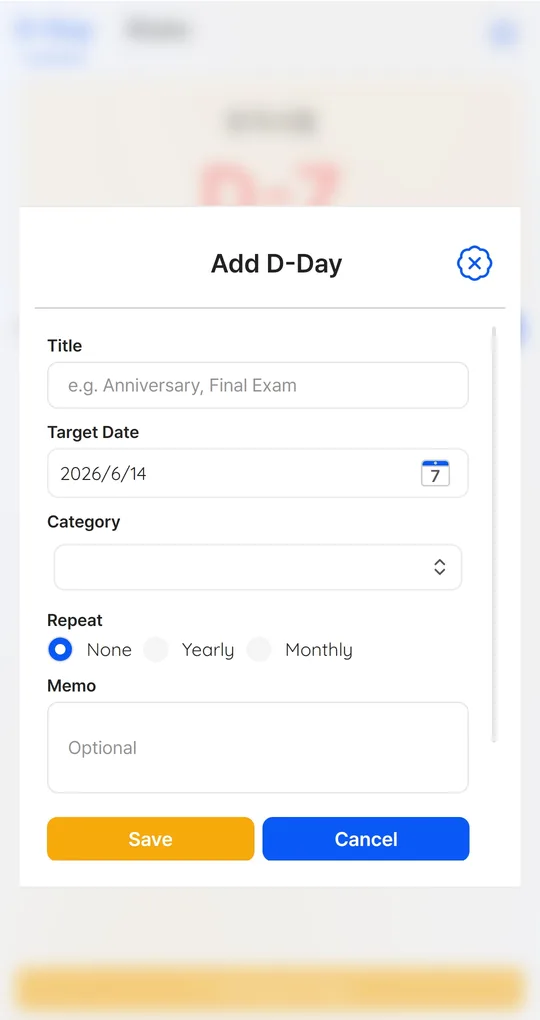
Enter the end date as the target
In D-Day Counter, add an item titled “End of service” (or contract, probation) with the calculated end date. It counts down every day.
Add the start date for days served
Add the start date as a second item and it shows D+ days since. Add one to read it as a day number.
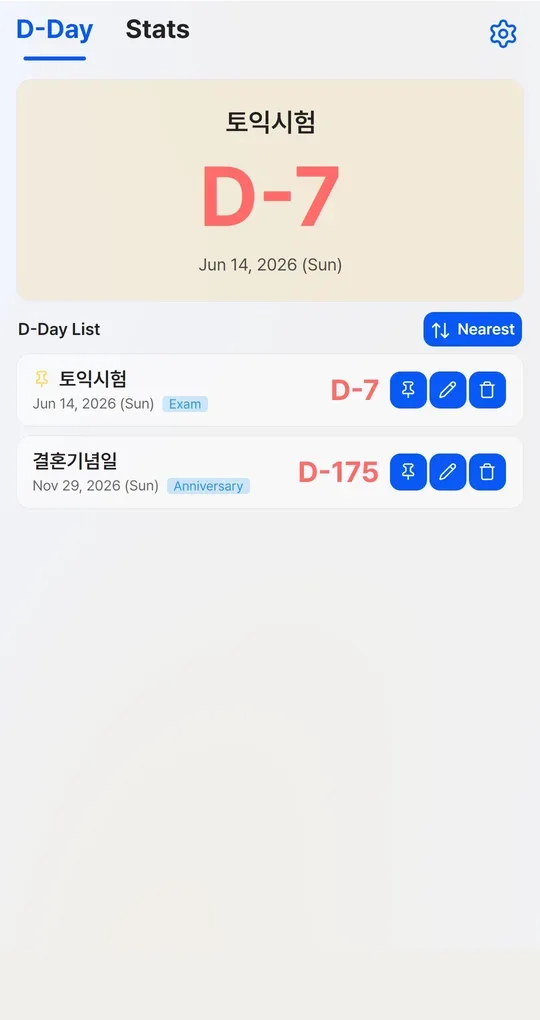
Pin the next break
Add leave or visit dates and pin the nearest one to the big card on the main screen.
The app’s English screenshots below still show sample titles in Korean (an exam and a wedding anniversary).
FAQ
Why not add 30 days per month?
Months have 28 to 31 days. Adding calendar months (EDATE) keeps the date aligned.
Can the people waiting at home use the same countdown?
Yes, just add the same end date. For “day N together” counting, see day number vs days since.
Sources: Military Manpower Administration, service length FAQ (Korean) · Korea Law Information Center, Civil Act (Korean)
D-Day Counter · Days Until / Since
No sign-up: just a title and a date. Everything stays on your phone. Free on Android, in English and Korean.